An assistant that lives on your computer.

lo9i is an open-source personal assistant that runs as a background service on your Mac or Linux machine. Write or talk to it from the terminal, the browser, Telegram, Slack or WhatsApp, in conversations that carry on wherever you are, and add what it can do with plugins.

curl -fsSL https://raw.githubusercontent.com/lo9i/lo9i-assistant/main/install.sh | bash

Linux, macOS and WSL2. It installs into ~/lo9i-assistant and asks for your model provider. Then open http://127.0.0.1:8765/app/, or run assistant in a terminal.

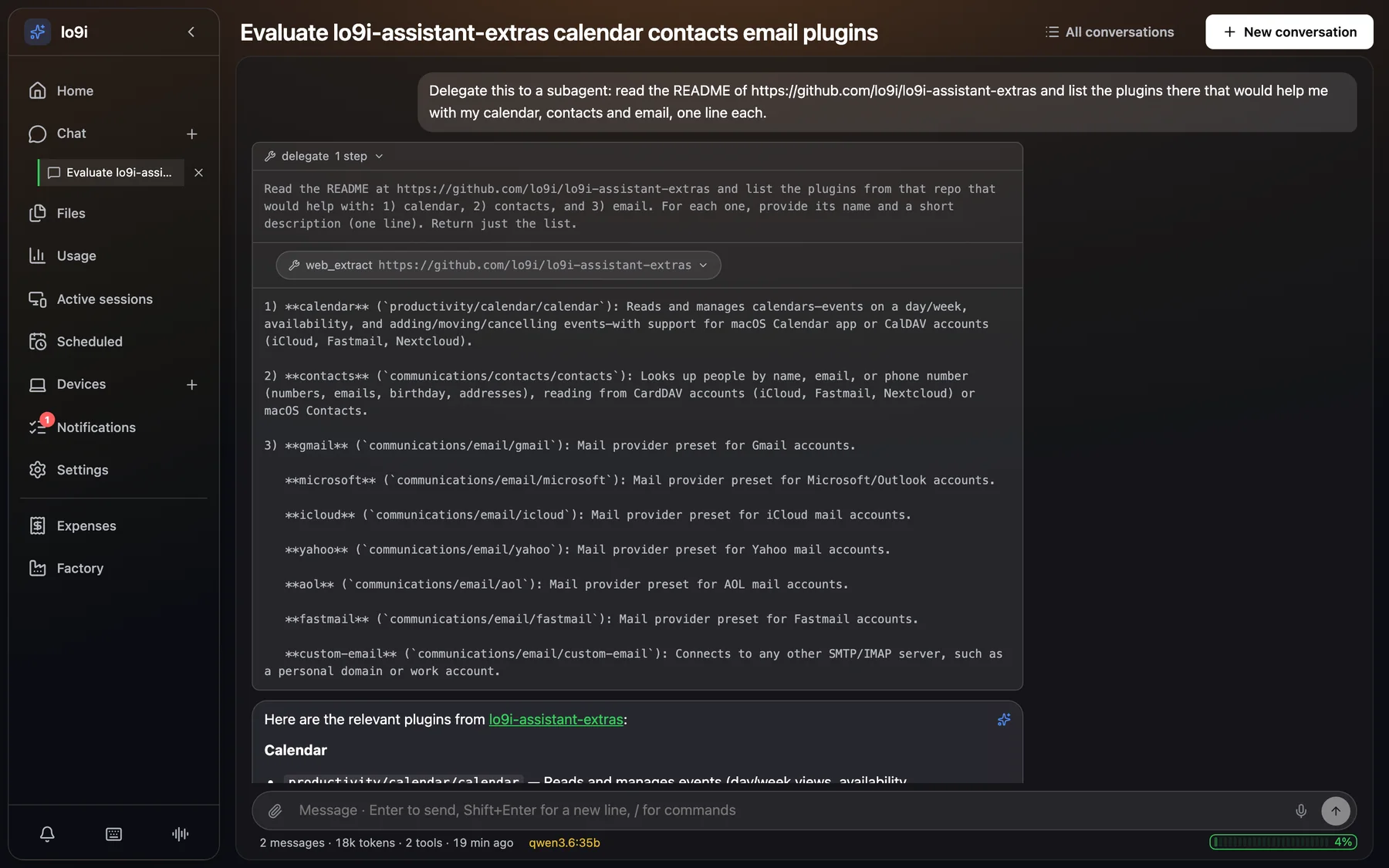
The lo9i web app: a conversation where the assistant delegated reading a GitHub README to a subagent, whose web_extract step and answer show inside the delegate call, followed by the final reply listing calendar, contacts and email plugins.
The web app. Asked to delegate, the assistant handed the reading to a subagent; its steps stay inside the call.

Plugins add what it can do

The core stays small. Calendars, mail, chat apps, coding agents and a whole software team come as plugins from the extras repository, installed from the app with a click.

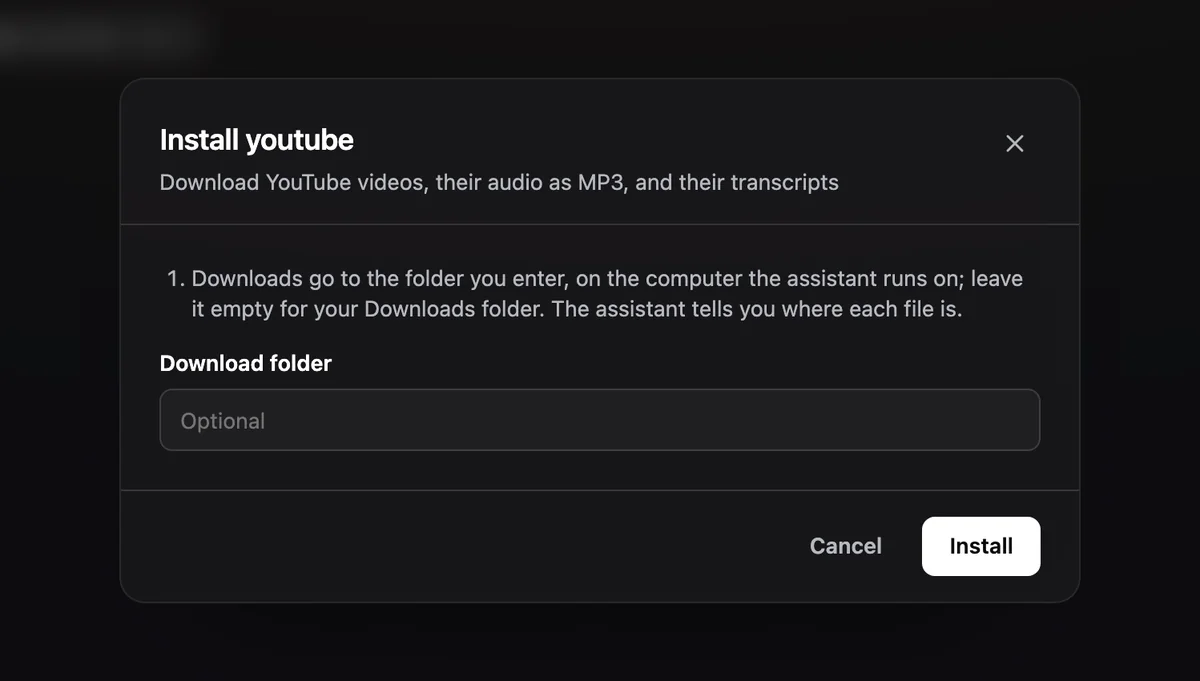
Ask for something a plugin does and the assistant offers it to you. Only you install: a plugin runs code on your computer, so the agent can suggest one but never adds one on its own.

The Install youtube dialog over a conversation: its description, a note on where downloads go, an optional Download folder field, and Cancel and Install buttons.
Asked to save a YouTube video's audio as an MP3, the assistant offered the youtube plugin.

Apps

  • expenses

    Assets, recurring obligations and bills, in the currency you choose.

    ToolsPageSkill

  • watchlist

    Movies and shows from TMDB, how far you are in each, and the YouTube channels you follow.

    ToolsPageSkill

Assistant

  • claude-code

    Hand coding tasks to Claude Code, which works on them on its own in your repositories.

    Coding agent

  • copilot

    The same with GitHub Copilot, which downloads its CLI on the first task.

    Coding agent

  • programmer

    How to code in your repositories: rules first, find the cause, tests first, review the diff.

    Skill

Communications

  • telegram

    Chat on Telegram, with voice notes, photos and documents.

    Channel

  • slack

    Chat in a Slack DM, and let it search, read and post in your workspace (every post asks you).

    ChannelTools

  • whatsapp

    Chat in your WhatsApp chat with yourself, linked like WhatsApp Web, and let it write to your contacts for you, asking before every message.

    ChannelTools

  • contacts

    Look people up on a CardDAV account or in the Contacts on your Mac. It only reads.

    Tools

  • phone

    Call people with the Phone app on your Mac, through your iPhone.

    ToolsSkillmacOS

  • Mail providers

    gmail, microsoft, icloud, yahoo, aol, fastmail, and custom-email for any other server. Send and read mail, and get new-mail alerts.

    Mail

Connectivity

  • hosts

    Your Linux hosts, with a terminal in the browser that survives dropped connections, SSH tunnels, and commands the assistant runs where you can see them.

    ToolsPageSkill

Media and productivity

  • youtube

    Download a video, its audio as a tagged MP3, or its transcript, or have it read the transcript for you.

    ToolsSkill

  • calendar

    Your Mac's calendars or a CalDAV account: what's on, when you're free, and changes that ask you first.

    ToolsSkill

Software

  • factory

    A team of models debates a coding task, you approve each step, and a coding agent builds it on a local branch. More below.

    ToolsPageSkill

How a plugin gets installed

  1. Pick it

    In Plugins in the web app or /plugins in the terminal, or say yes when the assistant offers one.

  2. Fill in its fields

    Tokens and keys go in a dialog, straight to the daemon, encrypted on your computer. Never through the chat.

  3. It runs when it's needed

    lo9i builds the plugin its own Python environment from its lockfile, starts its tools when they're first used and stops them when they're idle.

  4. It stays up to date

    Plugins shows when a newer version is out. Updates keep the plugin's data, and removing it asks whether to keep its keys.

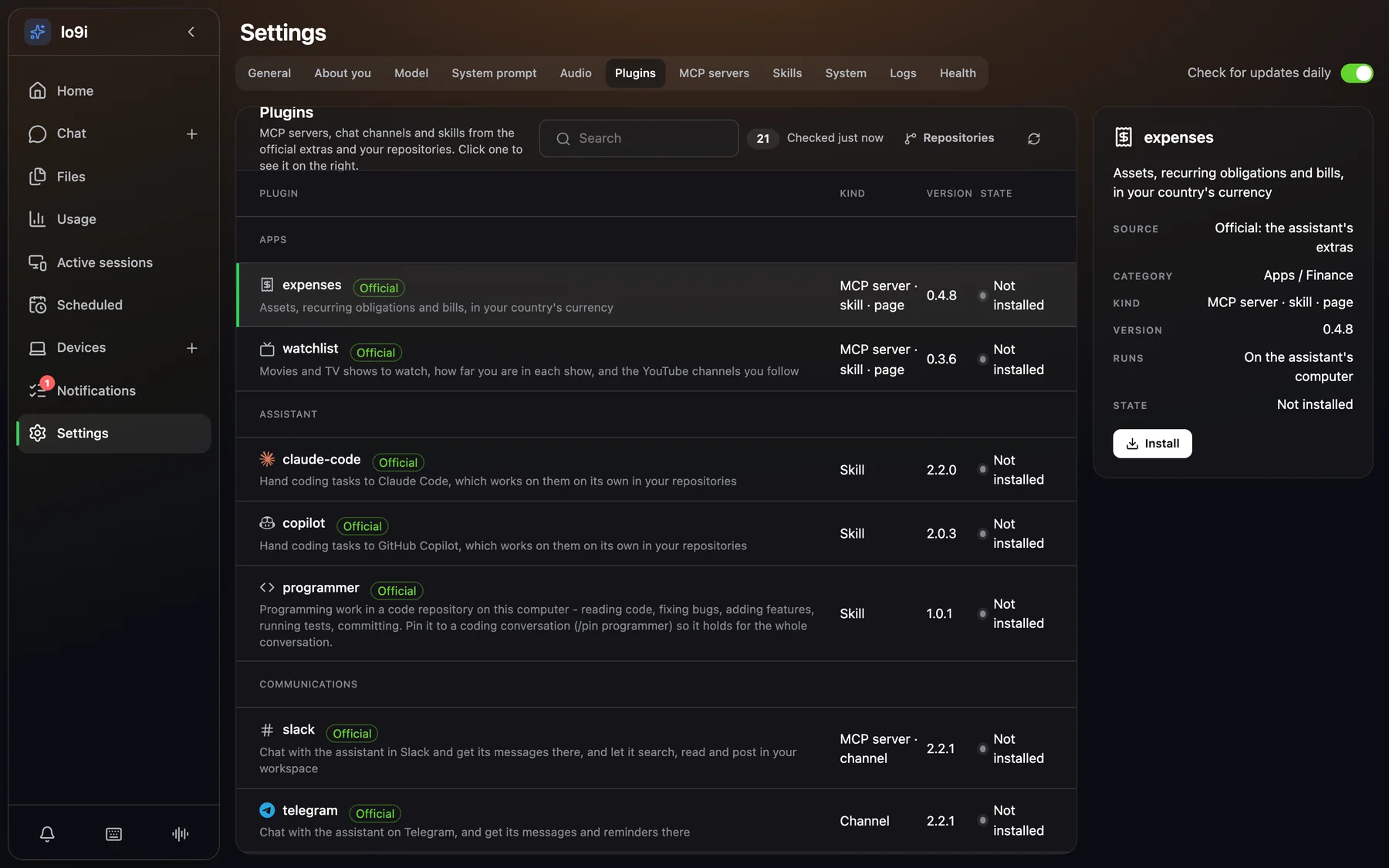
Settings, Plugins tab in the web app: 21 plugins grouped under Apps, Assistant and Communications, each with its icon, an Official badge, its kind, version and state, and the expenses plugin's details with an Install button on the right.
Settings → Plugins lists every plugin of every repository you've added, grouped by what it's for.

Anyone can write one

A plugin is a folder in a git repository. A server.yaml makes it an MCP server, a chat channel, a page in the web app, a coding agent or a set of mail providers, in any mix. A SKILL.md on its own is a skill: instructions, with scripts if it needs them.

Add your repository under Repositories in Plugins, private ones with a token, and its plugins show up beside the official ones. Plugins share no code with lo9i: chat channels and coding agents talk to it through documented protocols.

Already have an MCP server? Add it by command or URL under MCP servers. Remote ones that need a sign-in get one with OAuth.

server.yaml

name: dav
description: Calendar and contacts over CalDAV and CardDAV
version: 1.0.0
format: 2
icon: calendar
# {bin}: its own environment, built from its uv.lock
command: "{bin}/dav-mcp"
env: {CALDAV_URL: https://caldav.icloud.com}
# Asked for when it's installed; secrets are encrypted
fields:
  - {key: DAV_USER, label: Apple ID}
  - {key: DAV_PASSWORD, label: App-specific password,
     secret: true}
# Tools that change things ask you first
trusted: false
# Optional: a page in the web app's sidebar
page:
  command: "{bin}/dav-page"
  args: [--socket, "{socket}"]

A team of agents, and you decide

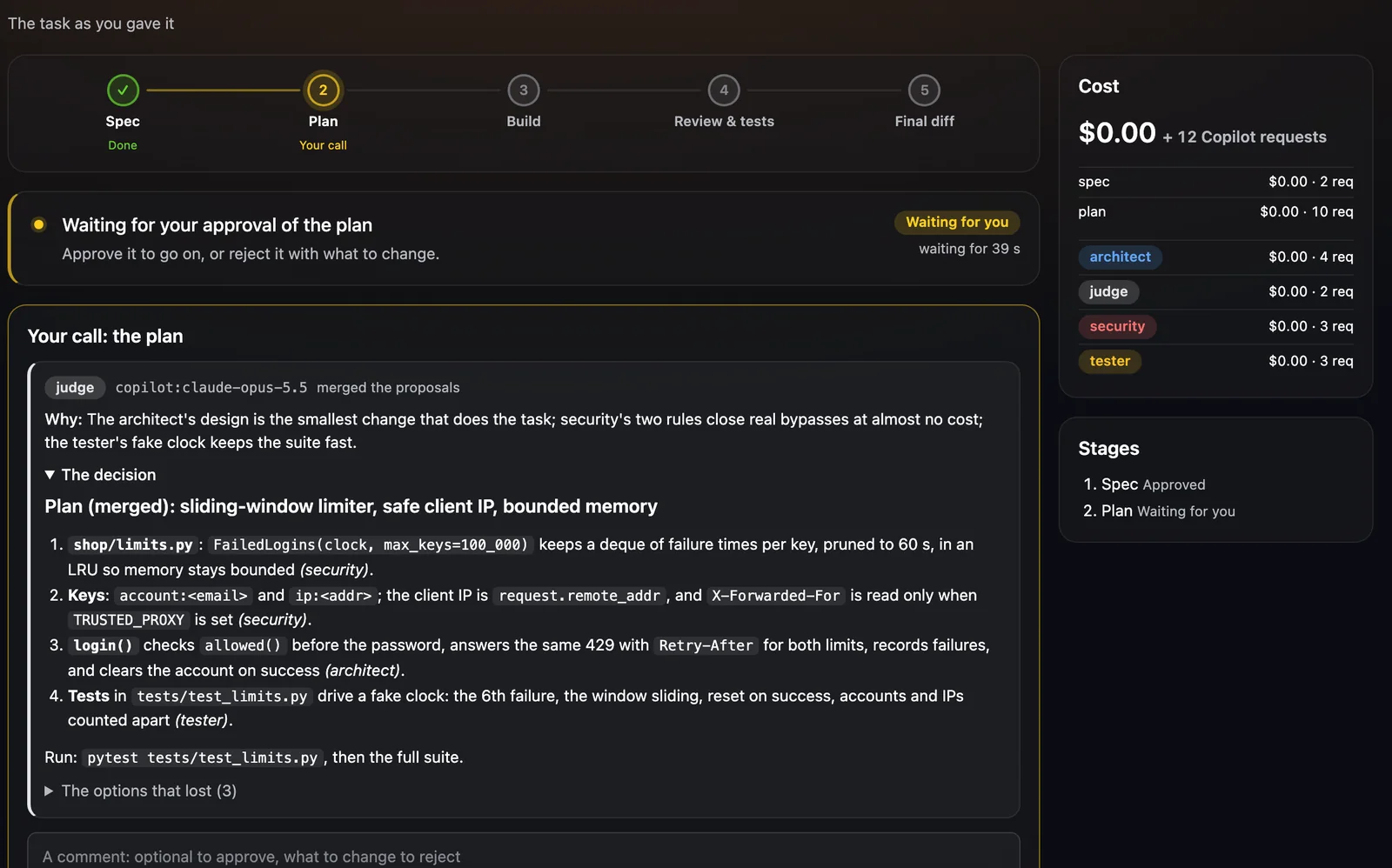
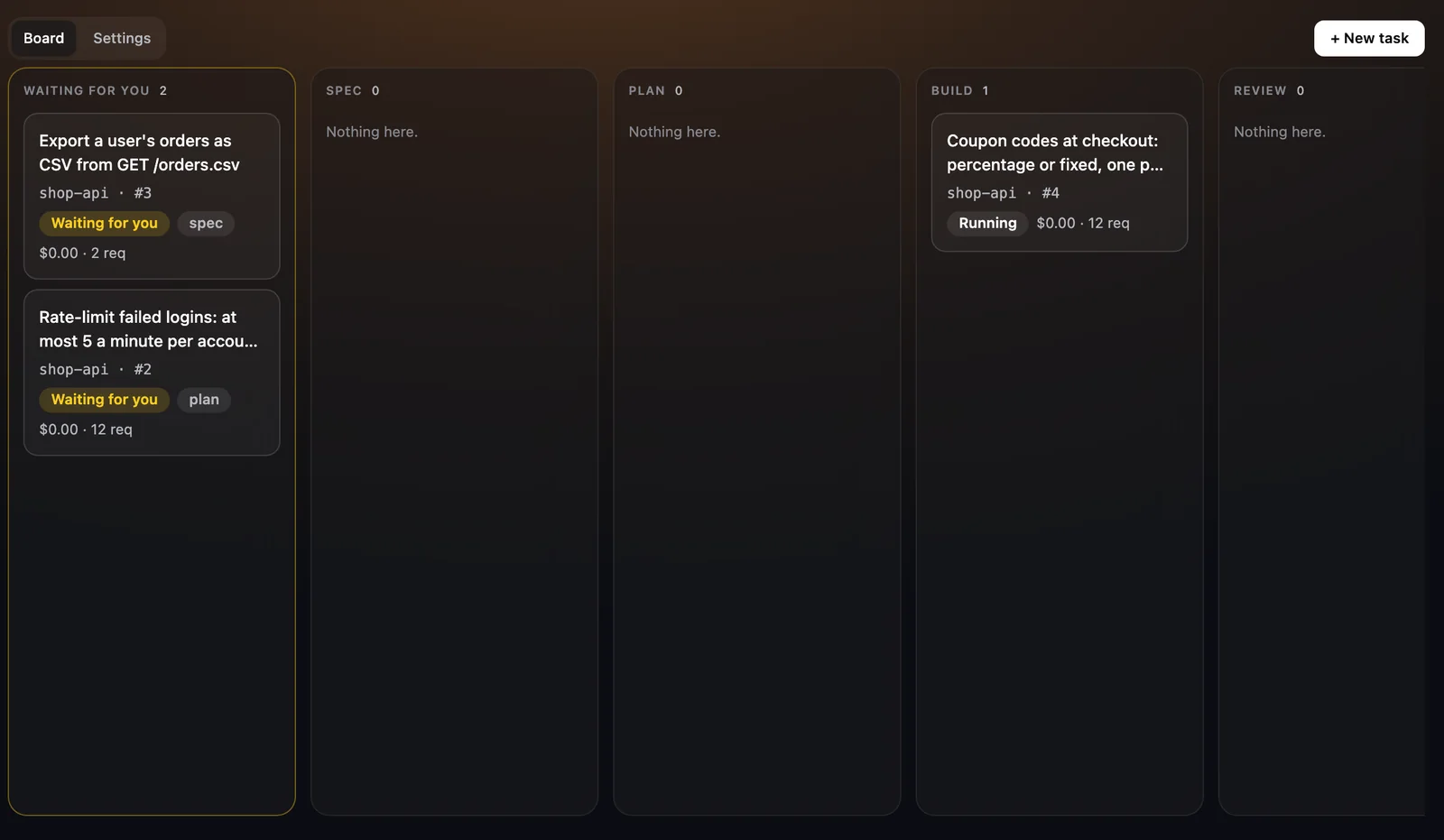
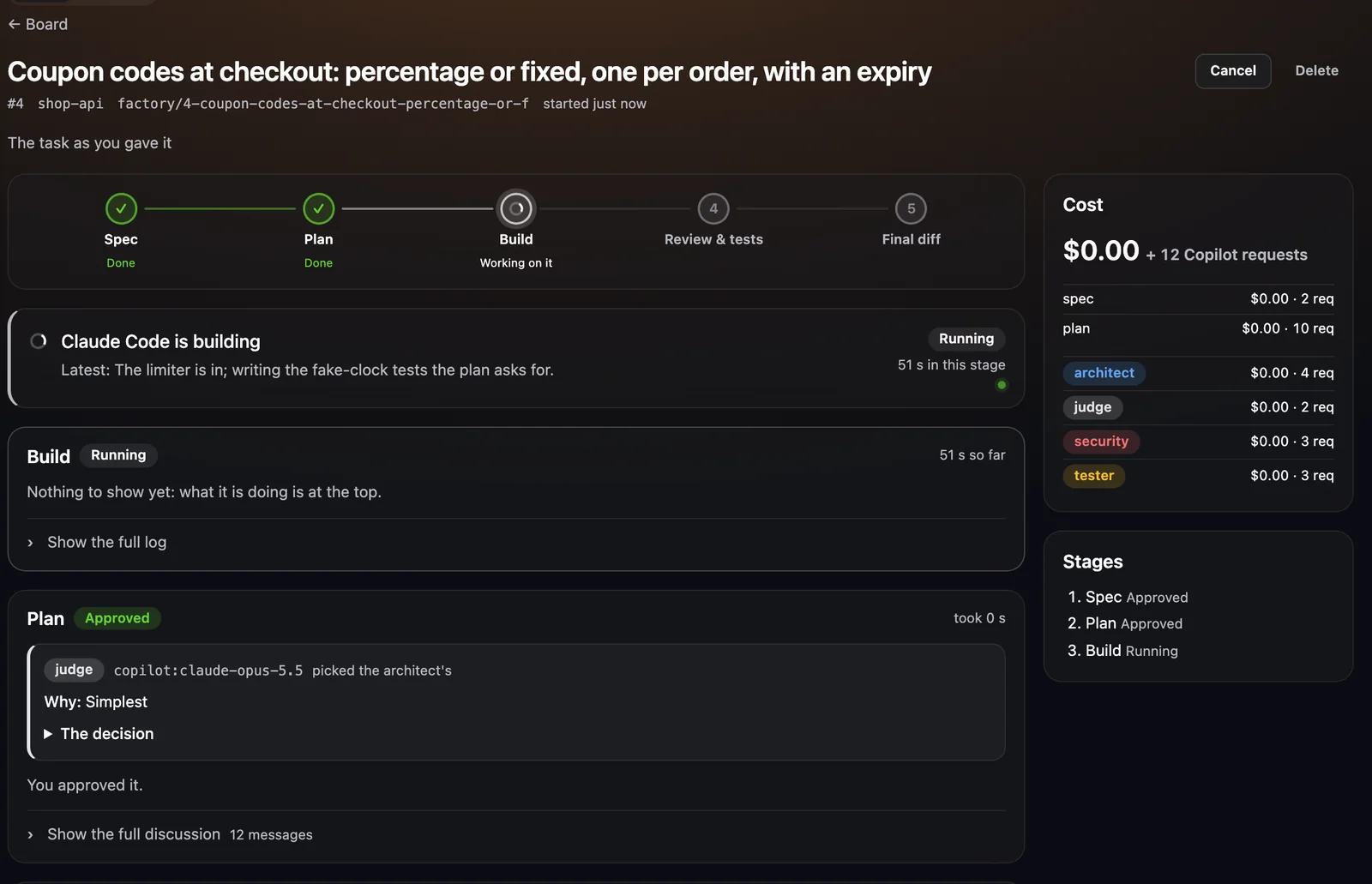
The factory plugin turns a coding task into a debate between models with different jobs. You approve the spec, the plan and the final diff, and a coding agent does the building on a branch of its own.

  1. Spec

    The architect writes what to build; the judge decides.

    You approve

  2. Plan

    Architect, security and tester propose, critique each other, revise and vote. The judge picks or merges.

    You approve

  3. Build

    Claude Code or Codex builds it in its own worktree, on factory/<id>-<slug>.

  4. Review & tests

    The change's tests and your test command run. Reviewer, security and tester read the diff; the judge accepts it or sends fixes back.

  5. Final diff

    The branch stays in your repository. The factory never merges or pushes.

    You approve

  • architect designs the change
  • security looks for what an attacker would use
  • tester says how it will be tested
  • reviewer reads the diff for bugs
  • judge decides each debate
  • implementer the coding agent's model

Each role on its own model. Anthropic, OpenAI, or your GitHub Copilot plan, picked per role in the factory's settings.

Sandboxed. The agent runs in Docker with only its worktree, or on your computer asking before every command.

A spending limit per task. It pauses there, and the costs are shown by stage and by role.

Answer from anywhere. Each checkpoint reaches you in the web app and on your chat channel, and you answer there.

Factory screenshots show demo tasks in a sample repository.

Hand a conversation to Claude Code or Copilot

With the claude-code or copilot plugin installed, /claude ~/code/shop hands the conversation to the agent in that folder (/copilot for Copilot). Each message becomes a task that continues the same session, its steps stream in like a reply, and what you write while it works reaches it between steps. /claude off gives the conversation back to the assistant.

The assistant can hand a coding job to the agent itself, asking you first unless you trust the plugin. Work that ends in the background is told in the conversation that started it, in your notifications, and on the chat channel you asked from.
Subagents for the side work

For a self-contained job, the assistant delegates to a subagent with its own prompt and only the tools that read or work on your computer: nothing that sends, schedules or saves. Its steps show inside the call, live and later in history, and only its answer comes back.

Approvals still apply inside a subagent: a risky command pauses the run until you answer.

Two apps, the same assistant

A web app the daemon serves, and a terminal app for when you live in one. They have the same features, and a reply running in one shows in the other as it's written.

The chat screenshots on this page come from lo9i running Qwen 3.6 35B locally through Ollama.

Wherever you write from

The daemon keeps every conversation, so a topic started in the terminal can go on from your phone.

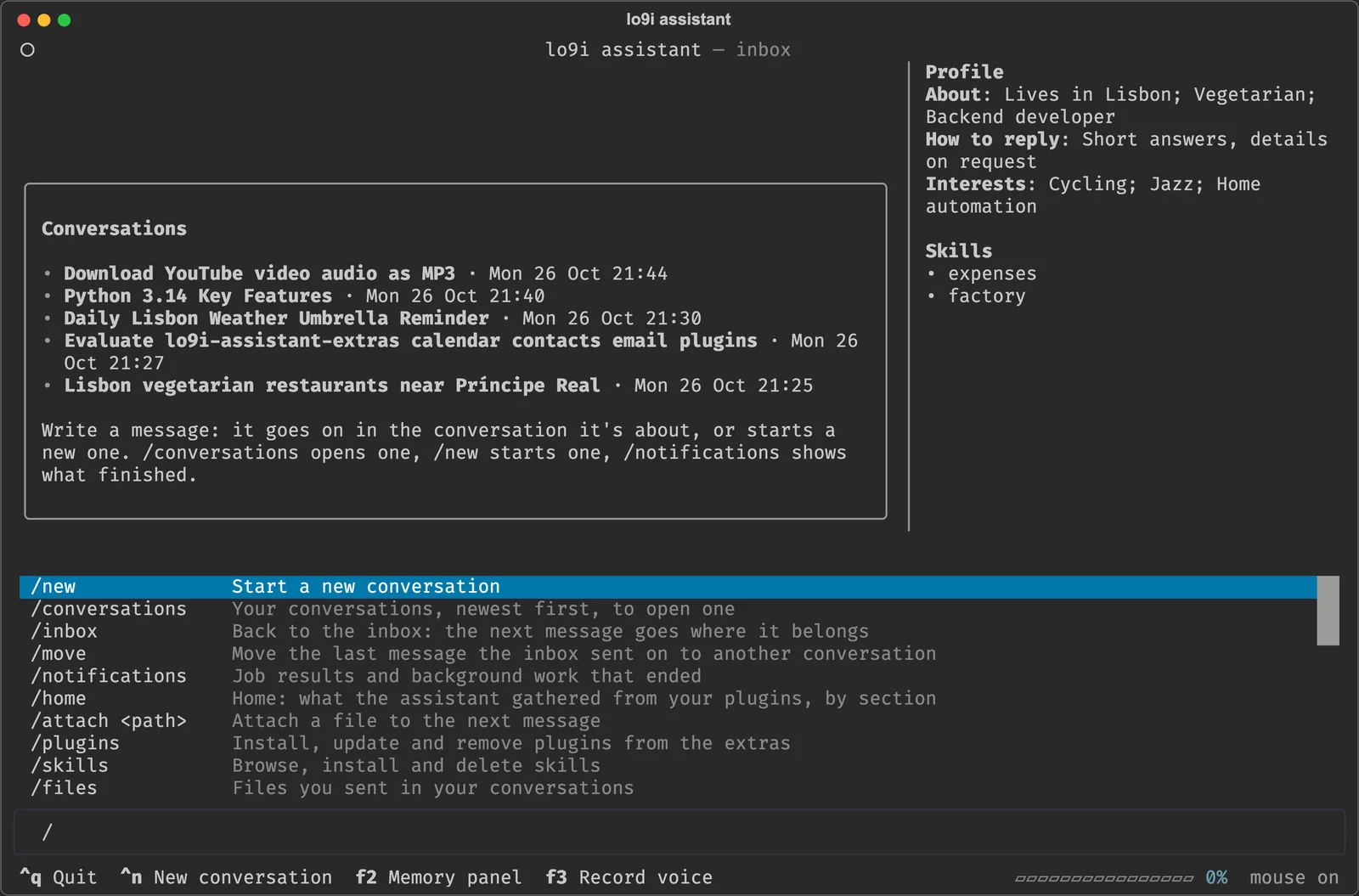
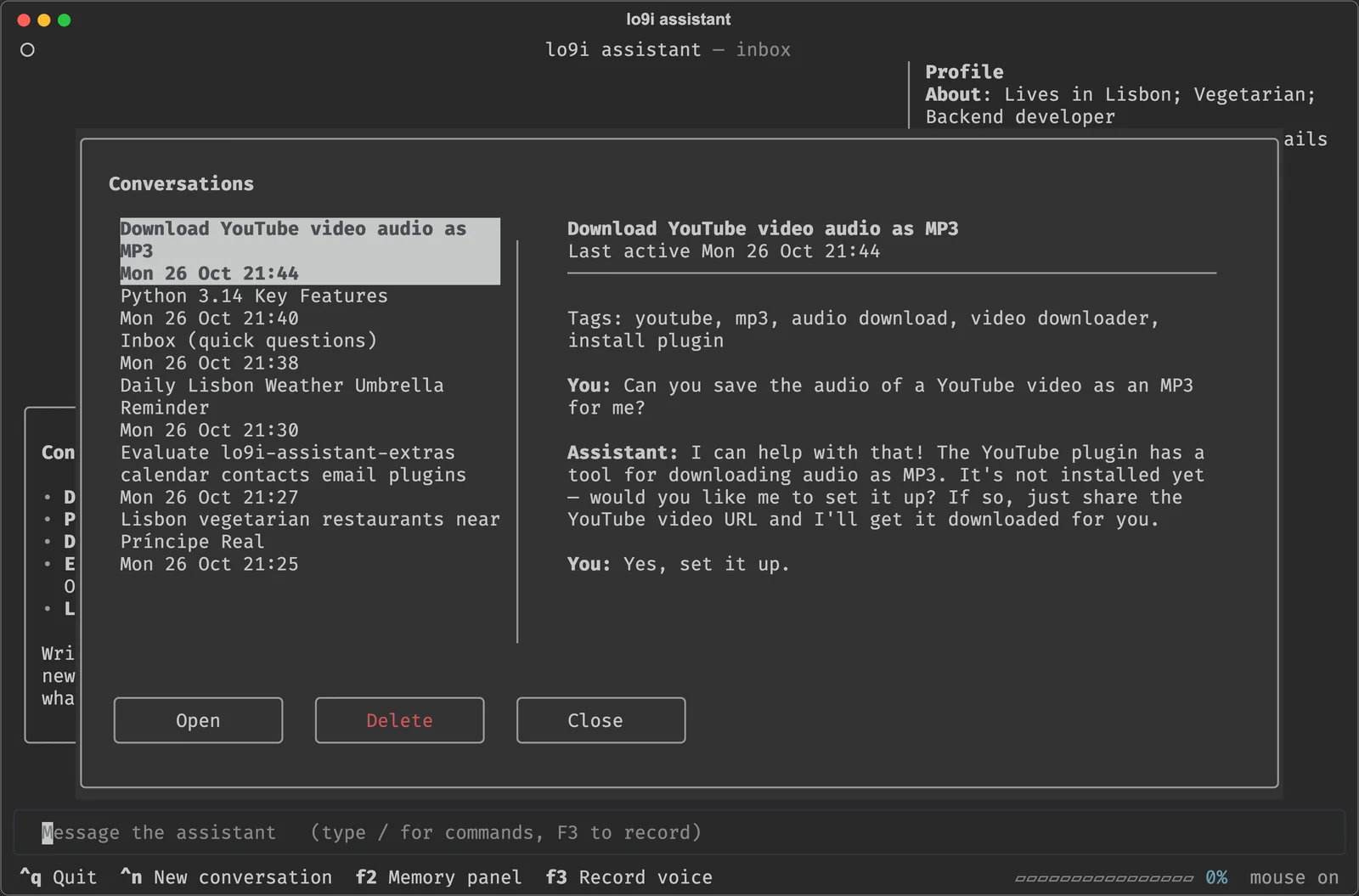
Write without picking a conversation and your message goes to the inbox, which sends it to the conversation it's about, starts a new one, or answers a quick question right there. Moved to the wrong place? /move sends it somewhere else.

  • Terminal

    Run assistant. It starts the daemon if it isn't running.

  • Browser

    Served by the daemon, on this computer or any paired one.

  • Telegram

    Your own bot, paired with a code. Voice notes both ways, photos and documents; approvals as buttons.

  • Slack

    A DM with the assistant over Socket Mode, so it needs no public URL. Voice and audio clips in.

  • WhatsApp

    Your chat with yourself, linked by a QR code. Voice notes in. It never reads any other chat. Not an official API.

Talk to it, and hear it answer

Send a voice message instead of typing, and have replies read out to you. Both run on your computer: no audio goes to a speech service.

Set it up in Settings → Audio: the model, your languages, and when replies are spoken.

  • Voice messages

    Transcribed on your machine with Whisper (faster-whisper), in 17 languages. Pick a model from tiny and fast to large and accurate; each downloads the first time it's used.

  • Spoken replies

    Read out with Kokoro in one of 13 voices: English, Spanish, Portuguese, French, Italian or Hindi. Never, only after you send a voice message, or always.

  • Wherever you write from

    Record with the microphone in the web app, or with F3 in the terminal app. Voice notes come in from Telegram, Slack and WhatsApp, and on Telegram the spoken replies come back as voice notes.

And the rest of an assistant

It remembers

A profile of you, facts, and what past conversations were about, learned as you talk and searched by meaning with an embedding model that runs on your machine. You can read and edit all of it.

Scheduled jobs

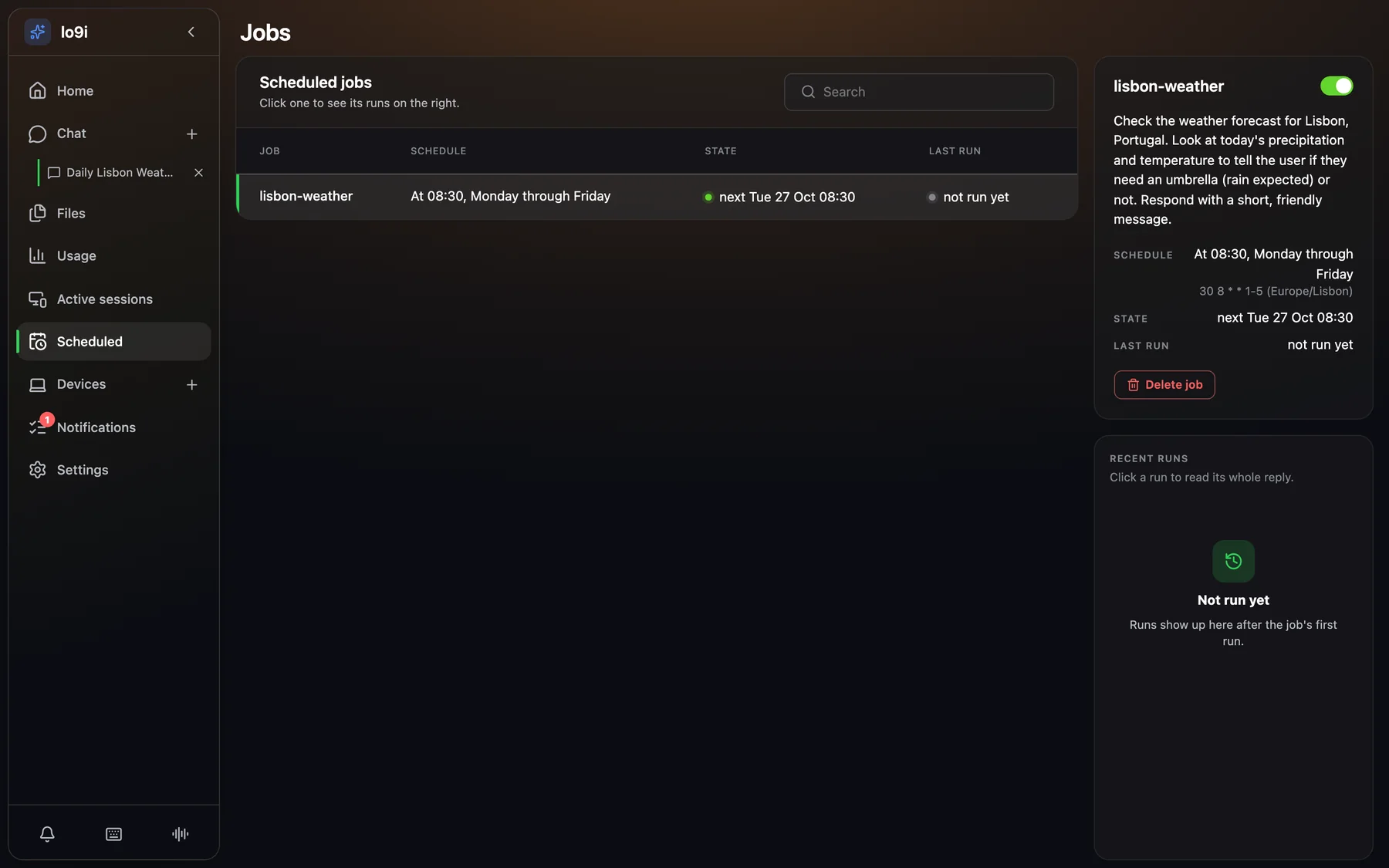
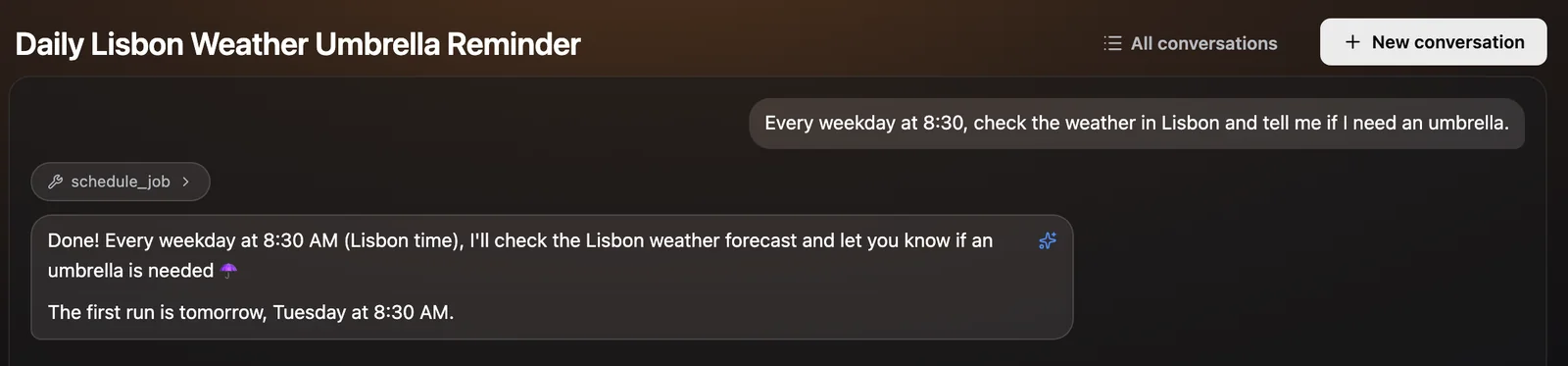
On a schedule, once at a time, or when new mail arrives. Each run's result lands in your notifications.

Asks before it acts

Risky shell commands, mail to people outside your allowlist and changes through untrusted plugins wait for your yes, in the app or as buttons in your chat.

Skills

Reusable instructions in a SKILL.md, with scripts if needed. Pin one to a conversation and it holds for the whole of it.

Your choice of model

Anthropic, GitHub Copilot, any OpenAI-compatible server including Ollama, and through LangChain Gemini, Vertex AI, Azure, Bedrock, Mistral, Groq, DeepSeek, xAI, OpenRouter and more. Change it from the app.

Your data stays home

Everything lives in ~/.lo9i on your computer. Passwords and tokens are encrypted with a key kept outside the database.

Reads the web

Searches with public engines or the Brave API, and fetches and renders pages.

Checks its own health

Once a day it groups the day's errors by cause and tells you what's new or growing, without a model call.

Open source, start to finish

The assistant and every official plugin are on GitHub, under the MIT license: use them, change them, share them.

Quick start

  1. Install. It downloads lo9i into ~/lo9i-assistant, installs uv and the dependencies, and asks for your model provider and its key.

    curl -fsSL https://raw.githubusercontent.com/lo9i/lo9i-assistant/main/install.sh | bash

    On Linux it starts as a service at boot; on macOS it tells you how to start it. Run it again to update.

  2. Open it: run assistant in a terminal, or open http://127.0.0.1:8765/app/ and pair the browser with a code from /devices.

  3. Connect the rest from inside the app: /model, /plugins, /startup. Type / to see every command, or ask the assistant how.

Needs macOS or Linux (WSL2 works), git and curl, Node.js only to build the web app, and a model provider: an Anthropic key, an OpenAI-compatible API such as Ollama, or a GitHub Copilot subscription.

Questions

Where does my data go?

Into ~/.lo9i on the computer the daemon runs on: the database, your uploads, the speech and embedding models, skills and plugin data. What leaves it is what you send to your model provider, and to the services your plugins talk to. With a local model, your conversations aren't sent to a model provider at all.

Can I use a local model?

Yes. Point it at any OpenAI-compatible server, such as Ollama, from /model or Settings → Model. The chat screenshots on this page were made that way.

Does it do things without asking?

It reads, searches and answers on its own. Risky shell commands, mail to people outside your allowlist, and actions through plugins you haven't marked as trusted ask you first. Jobs that run while you're away send their questions to your chat channel and are denied if nobody answers.

Is installing a plugin safe?

A plugin is code that runs on your computer, so only you can install one. The official plugins come from the extras repository; plugins from repositories you add yourself are marked as not official. Secrets you give a plugin are encrypted and only handed to it when it runs.

How do I reach it from my phone?

Install the Telegram, Slack or WhatsApp plugin, or pair your phone's browser with the web app over HTTPS.

Does it run on Windows?

Through WSL2. It runs natively on macOS and Linux.

What does it cost?

lo9i is free. You pay your model provider, if anything: an API key, a GitHub Copilot subscription, or nothing with a model running on your machine.